🎯 MoveIt Tutorial
MoveIt motion-planning tutorial covering simulation, real-robot use, gravity compensation, and MIT/CSP mode switching.
📋 Prerequisites
| Item | Requirement |
|---|---|
| 🔧 ROS2 | Humble installed |
| 📁 Workspace | openarmx_ws built |
| 🤖 Hardware | Optional for simulation |
After installing or updating the source tree, build the packages used by the real-robot launch:
cd ~/openarmx_ws
colcon build --packages-select openarmx_gravity_comp openarmx_bringup openarmx_bimanual_moveit_config
source install/setup.bash
Simulation Mode
cd ~/openarmx_ws
source install/setup.bash
ros2 launch openarmx_bimanual_moveit_config demo_sim.launch.py
⏱️ Wait 3-5 seconds for RViz to open.
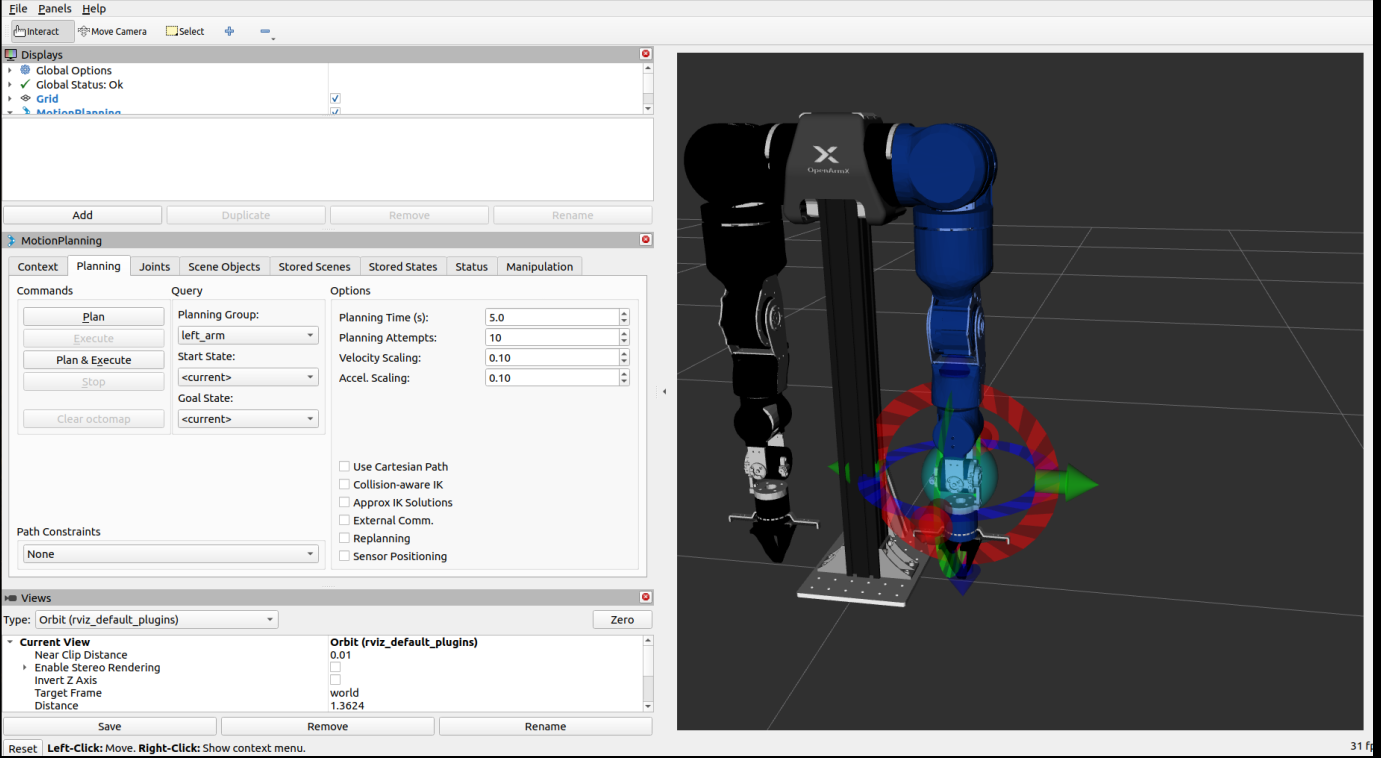
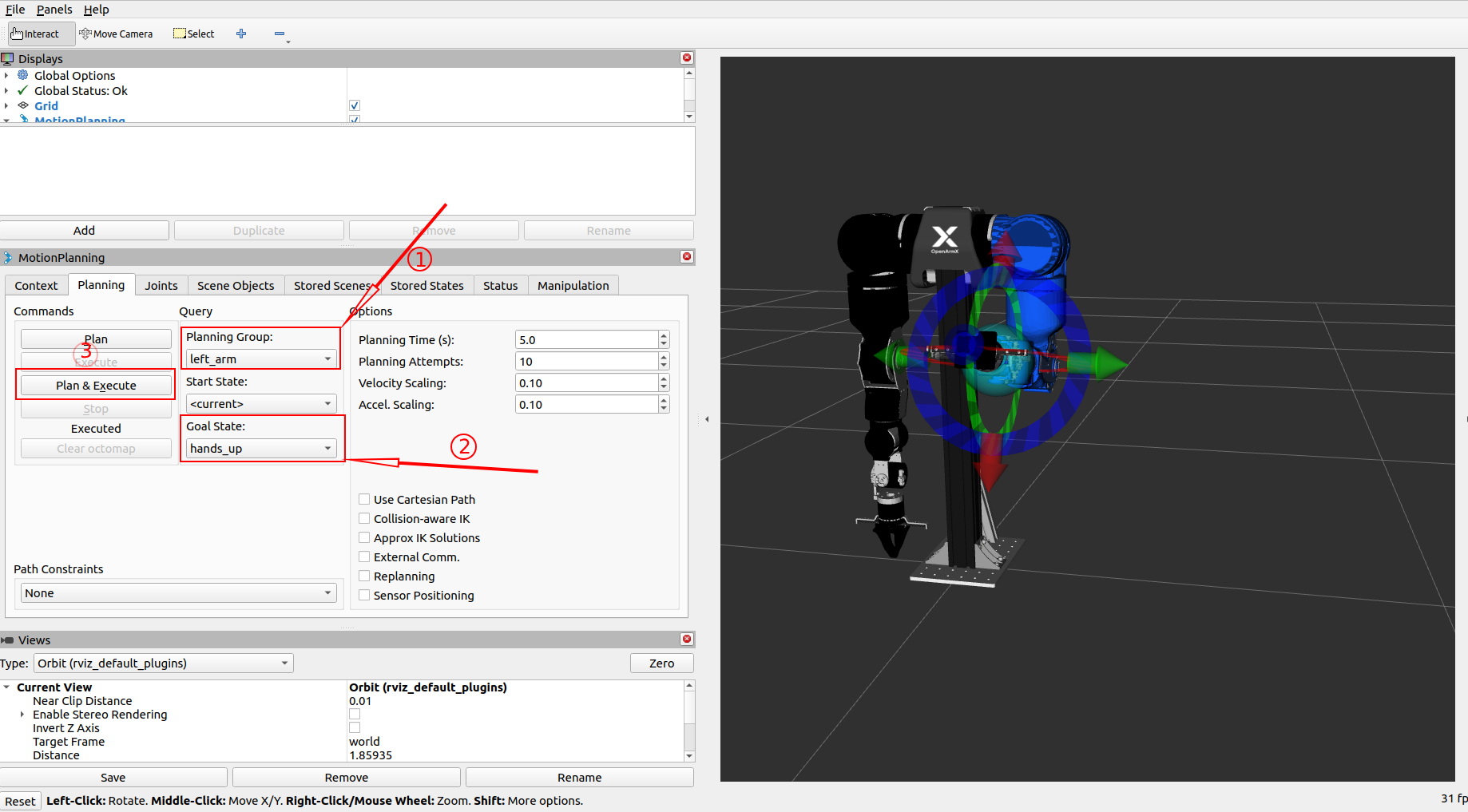
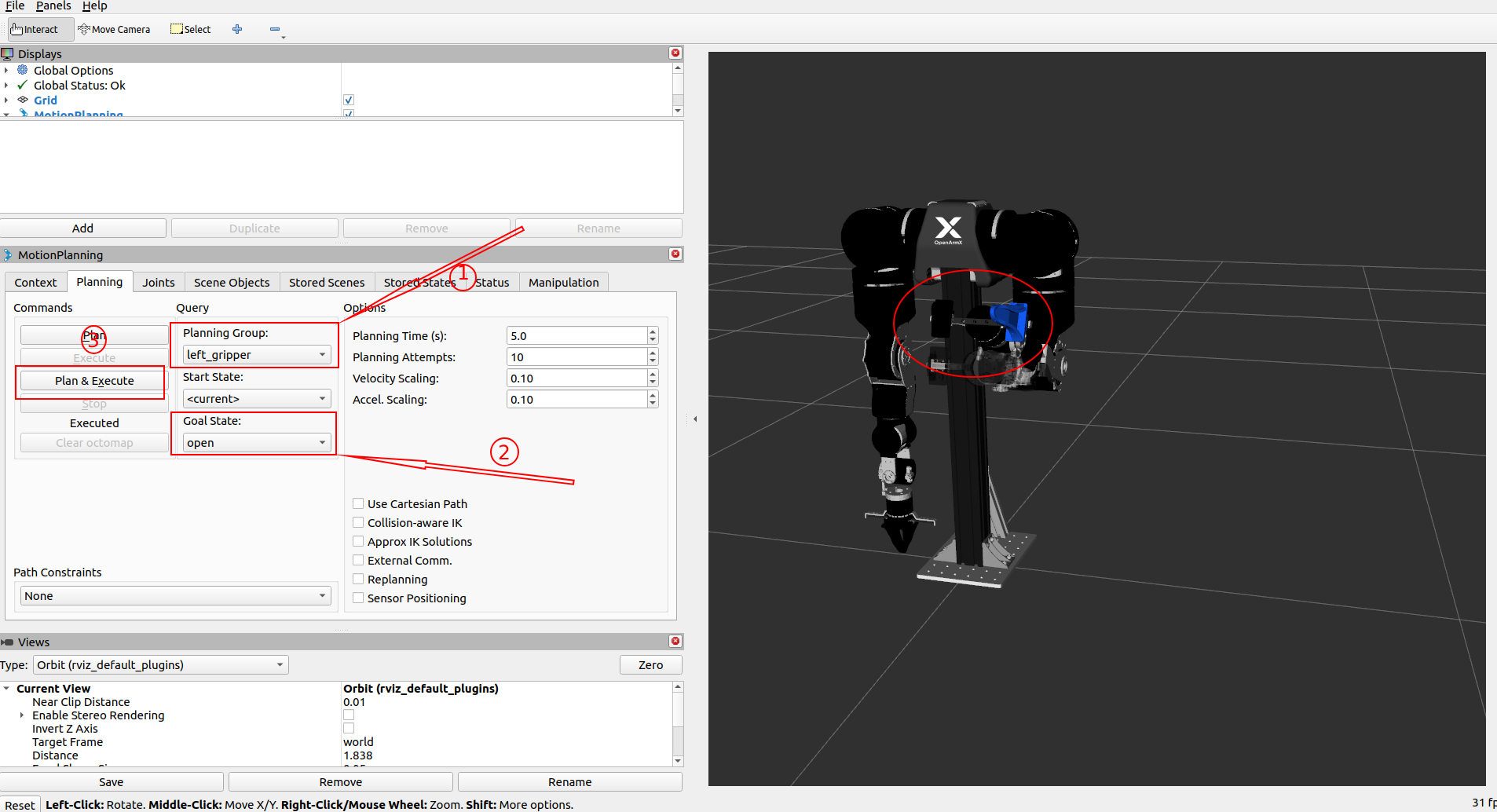
Example operations
- Hands_up:
Planning_Group = left_arm,Goal State = hands_up, click Execute - Open_gripper:
Planning_Group = left_gripper,Goal State = open, click Execute - Home:
Planning_Group = left_arm,Goal State = home, click Execute
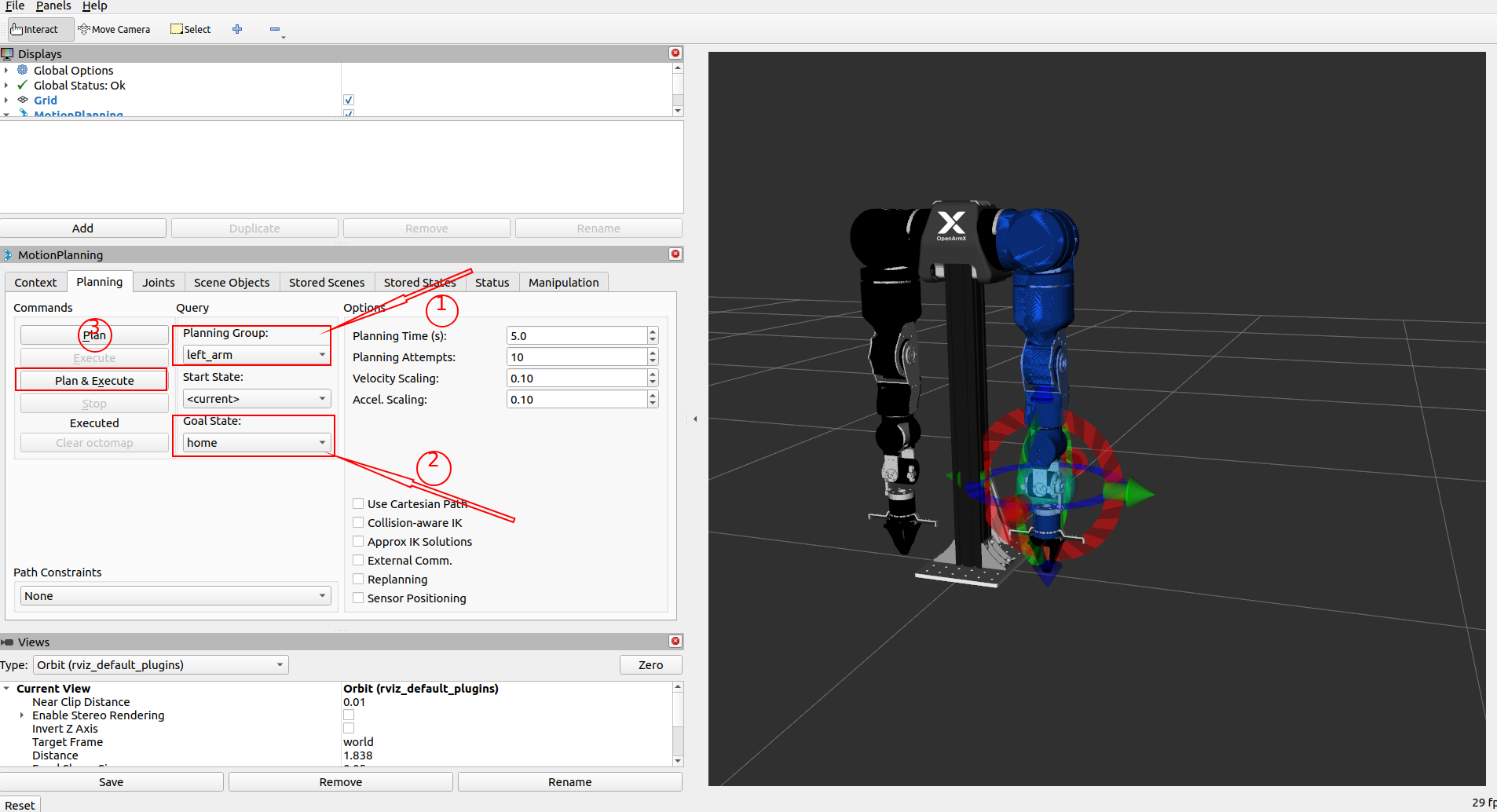
Real Robot Mode
🚨 Before motion:
- Emergency stop is reachable
- Workspace is clear
- Motor test is completed
For real-robot MoveIt, the recommended default is MIT with gravity compensation. The gravity node computes posture-dependent feedforward torques and injects them through the effort controllers into the MIT control loop.
cd ~/openarmx_ws
source install/setup.bash
ros2 launch openarmx_bimanual_moveit_config demo.launch.py \
  control_mode:=mit \
  enable_forward_effort:=true
Before launching, configure can0 (right arm) and can1 (left arm) at 1 Mbps, power the robot, and place every joint near its zero position (within 30°).
Switching Between MIT and CSP
Select the low-level mode with control_mode. Stop the current launch and restart it to switch modes; the mode is not changed dynamically at runtime.
| Mode | Control method | Advantages | Limitations and guidance |
|---|---|---|---|
mit (recommended) |
Motion-control frames containing position, velocity, KP, KD, and feedforward torque | Supports torque feedforward and gravity compensation; compliant and suitable for MoveIt, force control, teleoperation, and teaching | Requires sensible KP/KD tuning; without compensation, gravity can cause about 6° of steady-state error; poor tuning may cause jitter |
csp |
CiA402 cyclic synchronous position mode; sends target positions | Higher position stiffness/accuracy and a simple position interface | Very low payload capability. Do not add an end-effector load; load or stall can cause over-current, overheating, and motor burn-out. The CSP path does not consume effort/τ_ff, so it does not provide the gravity-compensation behavior described here |
Switch to CSP for unloaded, low-speed, short-duration testing only:
ros2 launch openarmx_bimanual_moveit_config demo.launch.py \
  control_mode:=csp
Do not rely on enable_forward_effort:=true in CSP mode. Gravity compensation targets the MIT control path; CSP effort commands are not converted into motor feedforward torque. Use MIT when gravity compensation is required:
ros2 launch openarmx_bimanual_moveit_config demo.launch.py \
  control_mode:=mit enable_forward_effort:=true
{ width="100%" }
First motion
- Select
right_armorleft_armin Planning Group. - Set goal:
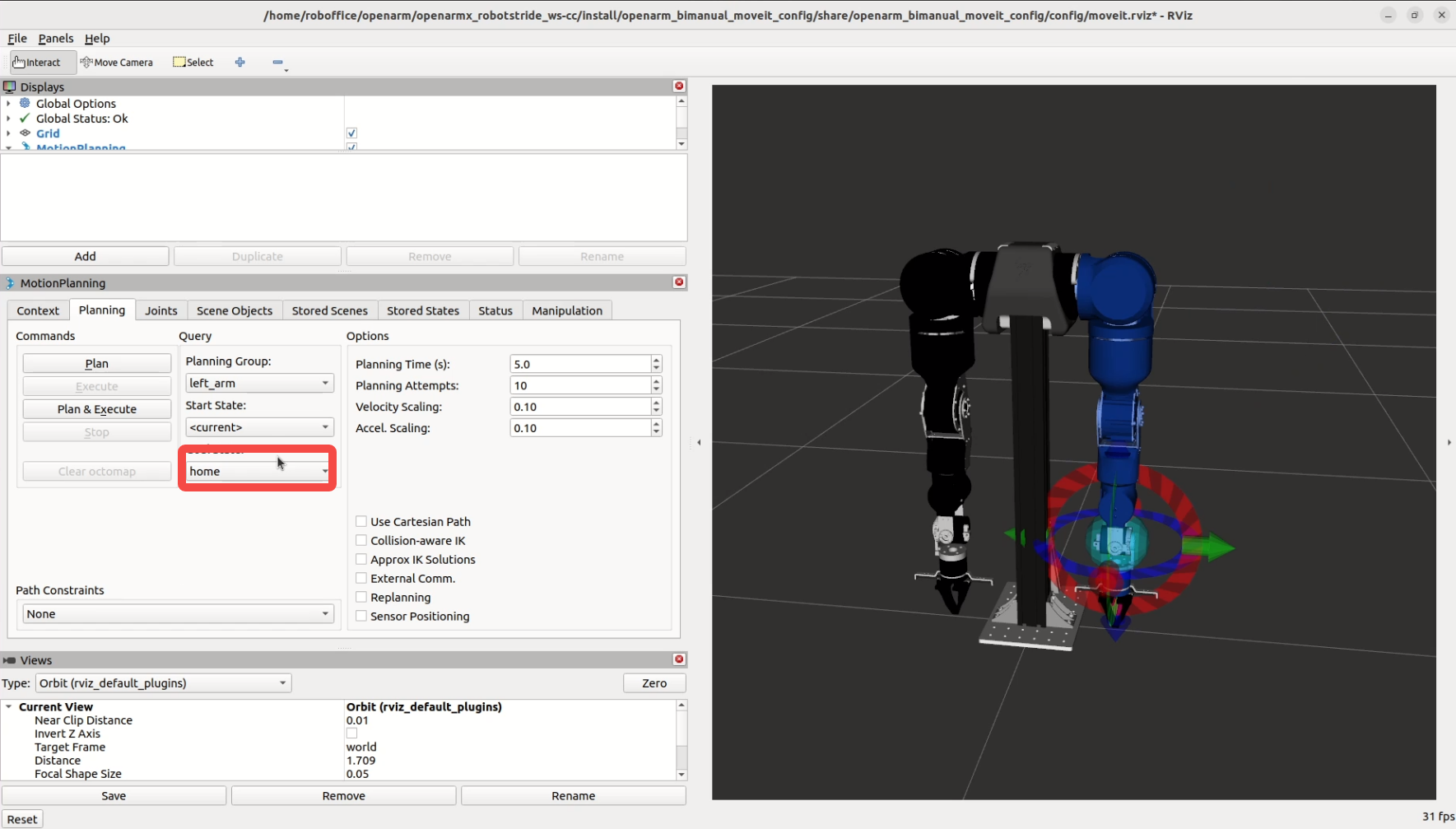
- Beginner: click Select Random Valid Goal
- Advanced: drag colored interactive marker in 3D view
- Click Plan, check trajectory, then click Execute.
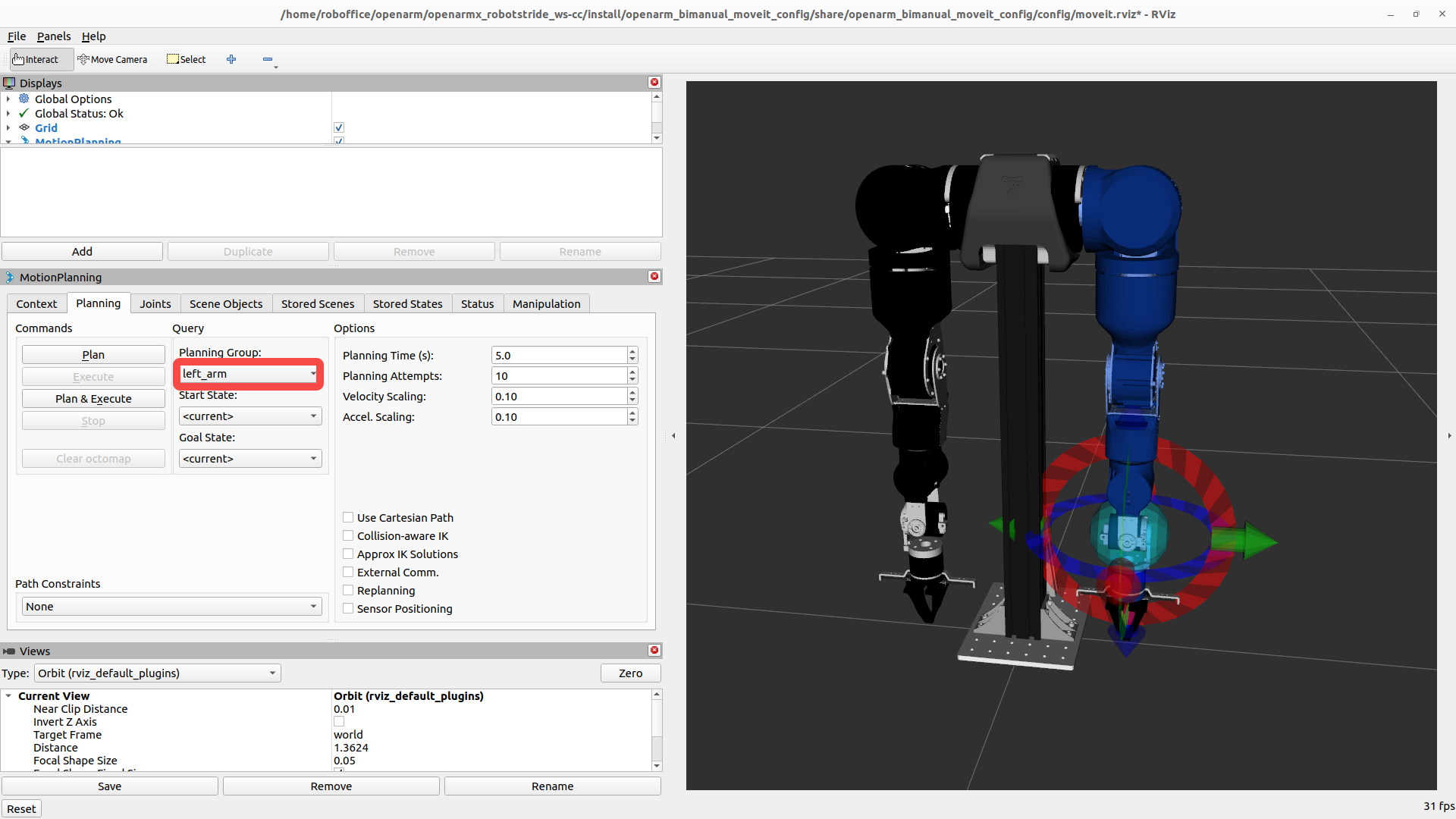
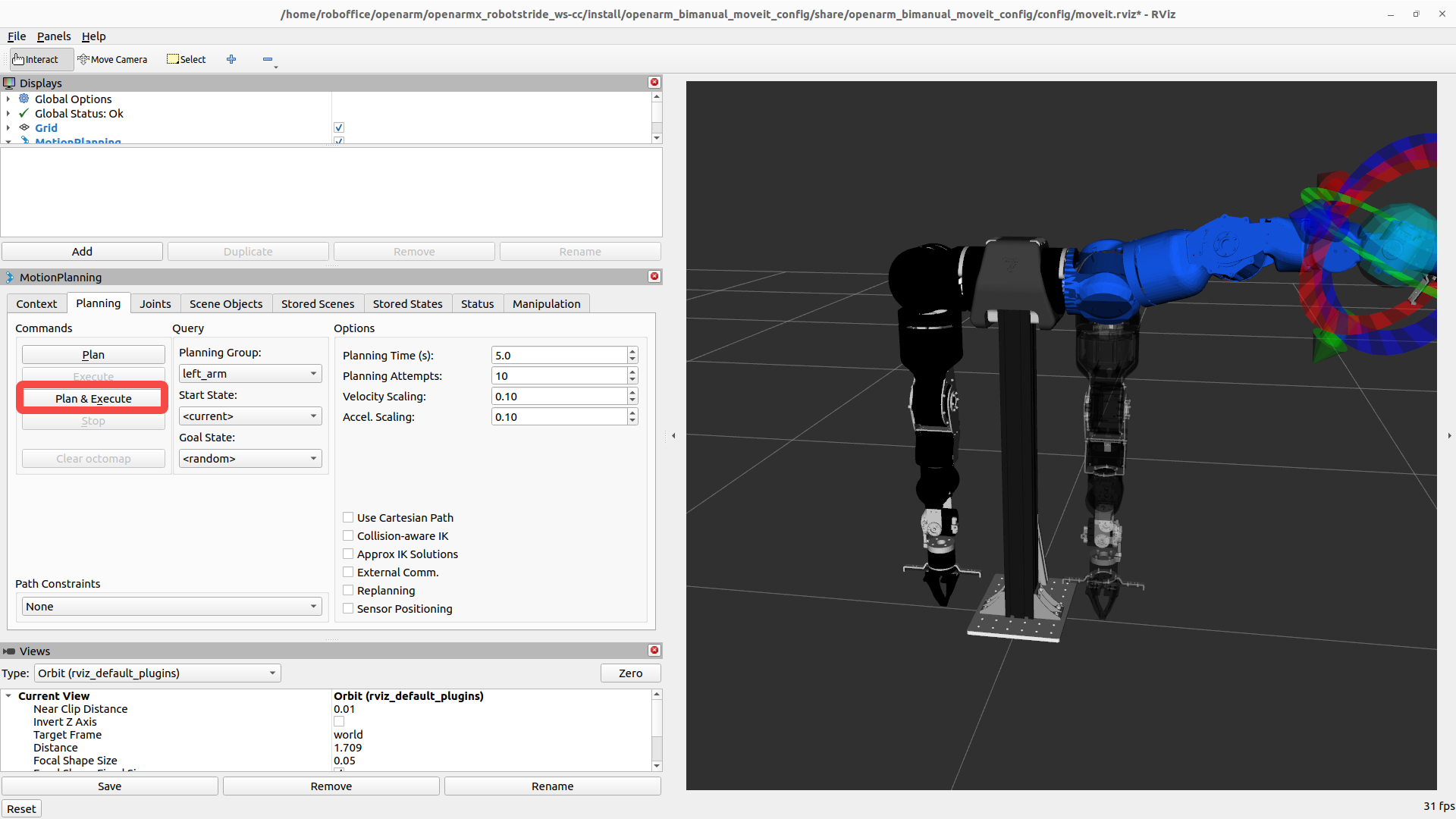
Common operations
| Operation | Steps |
|---|---|
| Adjust speed | Planning panel -> Velocity Scaling Factor (0.1-0.3 suggested) |
| Move to home | Goal State -> home -> Update -> Plan & Execute |
| Manual control | Drag interactive marker in 3D view |
Verify Gravity Compensation
ros2 control list_controllers | grep effort
ros2 topic echo /left_forward_effort_controller/commands
ros2 topic echo /right_forward_effort_controller/commands
The effort controllers should be active, and the command topics should publish posture-dependent feedforward torques. The default g_scale is 1.05 and can be adjusted at runtime:
ros2 param set /gravity_comp_node g_scale 1.05