🎯 MoveIt Tutorial
Complete MoveIt motion planning tutorial including simulation and real-robot workflows.
📋 Prerequisites
| Item | Requirement |
|---|---|
| 🔧 ROS2 | Humble installed |
| 📁 Workspace | openarmx_ws built |
| 🤖 Hardware | Optional for simulation |
Simulation Mode
cd ~/openarmx_ws
source install/setup.bash
ros2 launch openarm_bimanual_moveit_config demo_sim.launch.py
⏱️ Wait 3-5 seconds for RViz to open.
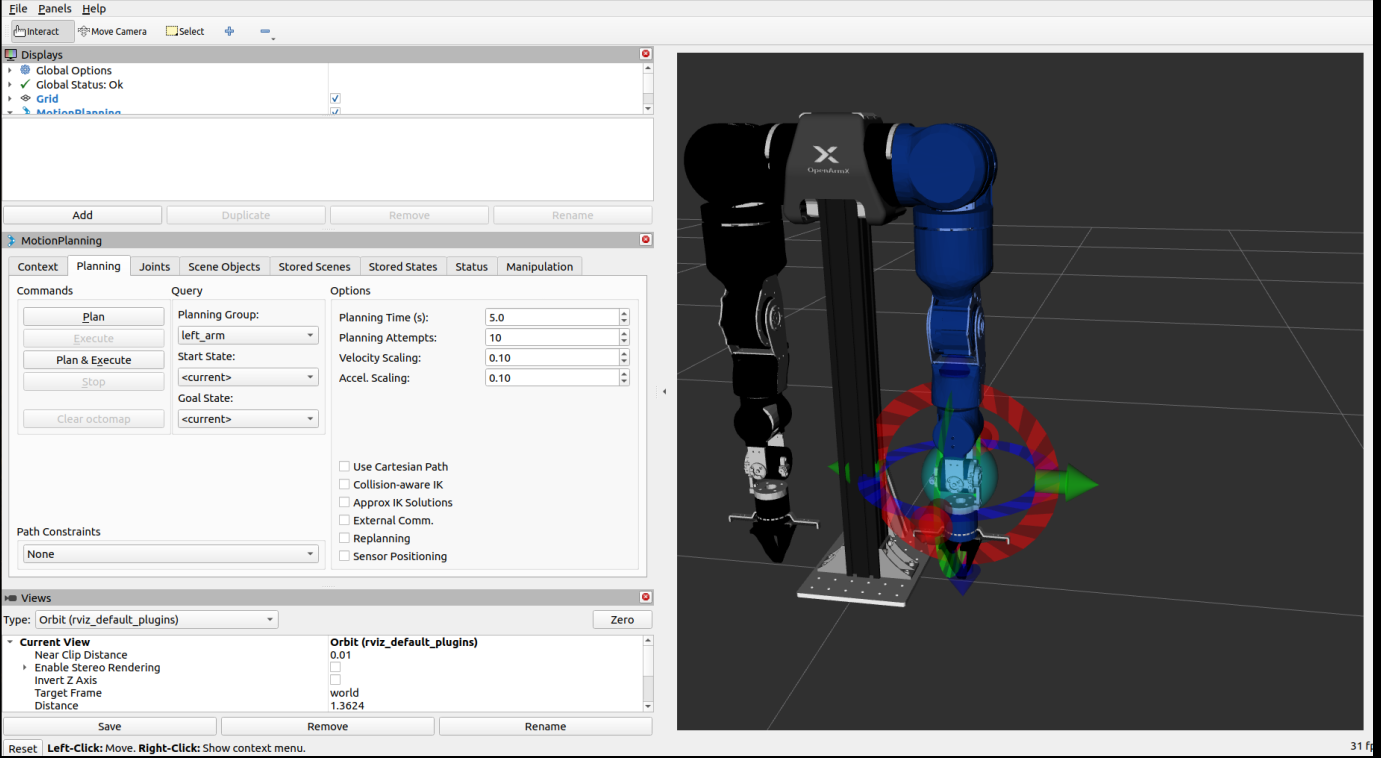
Example operations
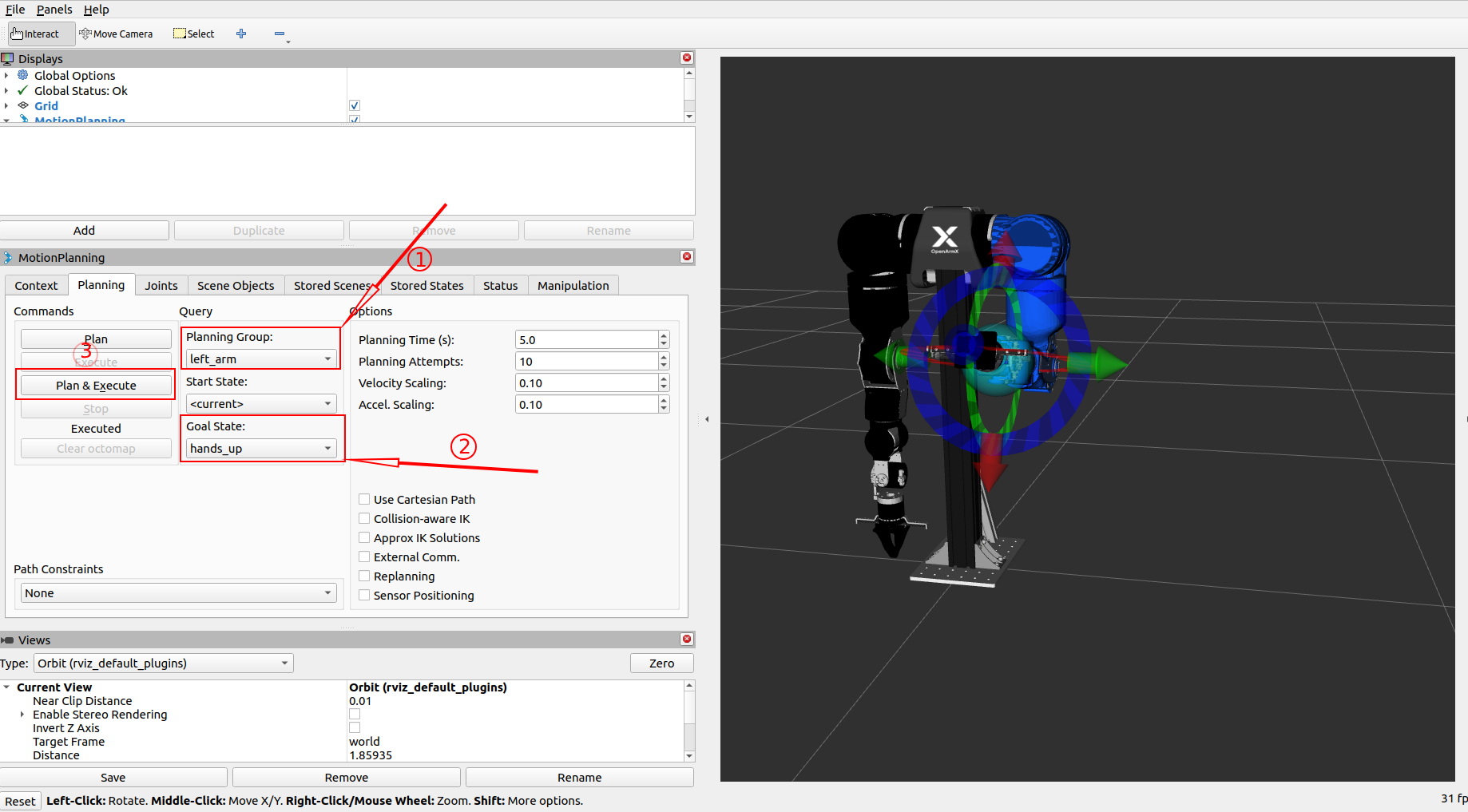
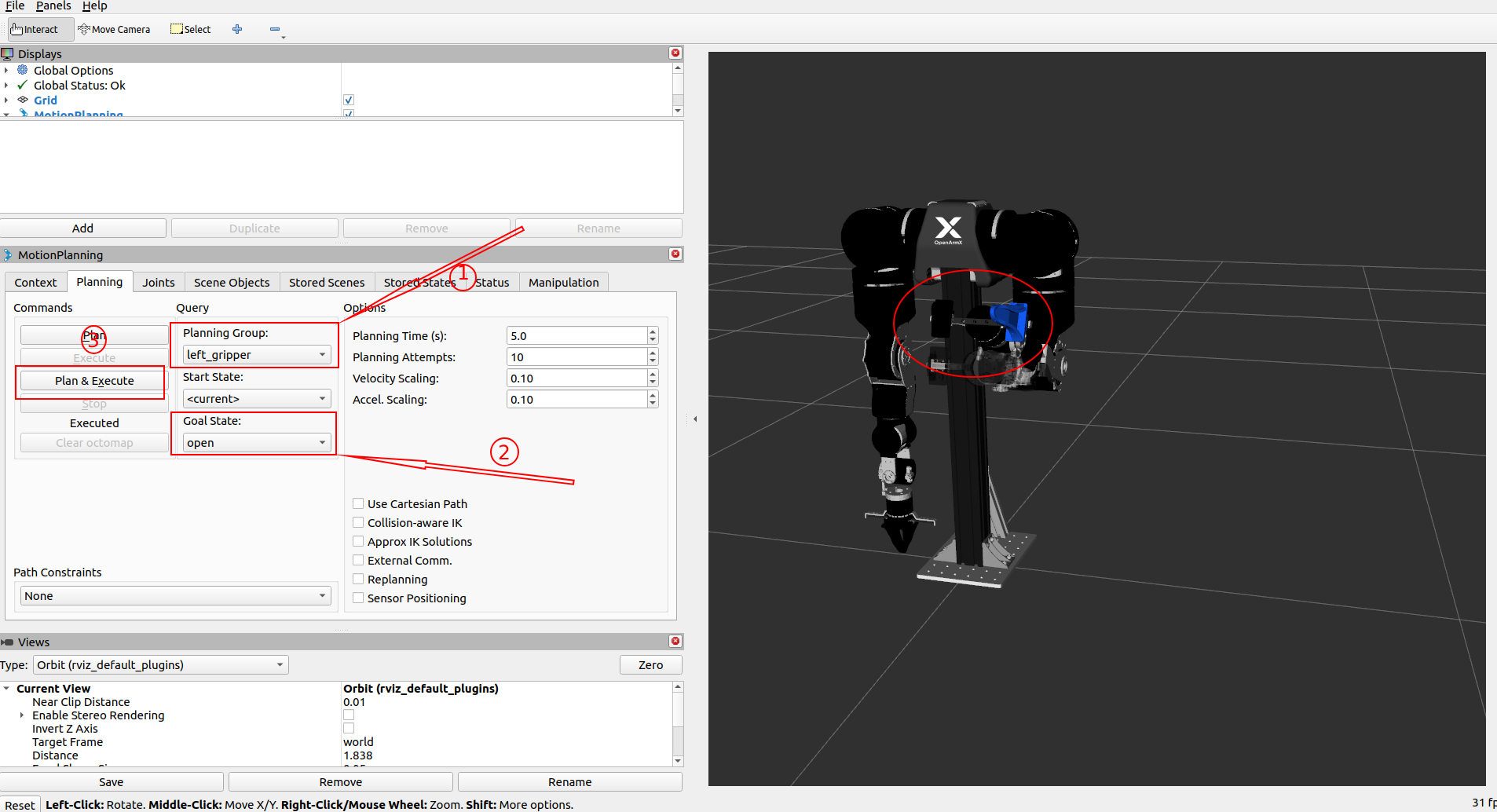
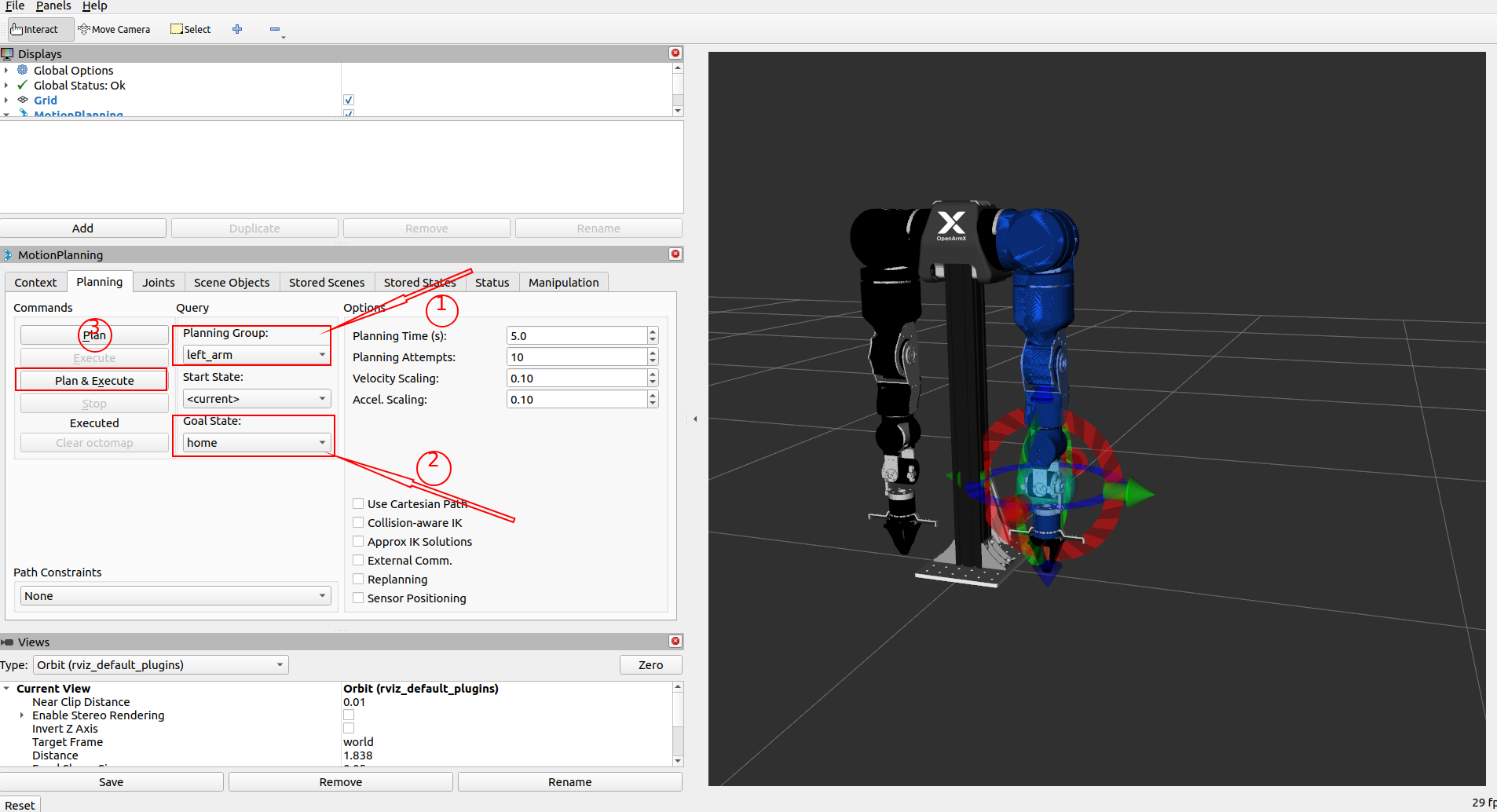
- Hands_up:
Planning_Group = left_arm,Goal State = hands_up, click Execute - Open_gripper:
Planning_Group = left_gripper,Goal State = open, click Execute - Home:
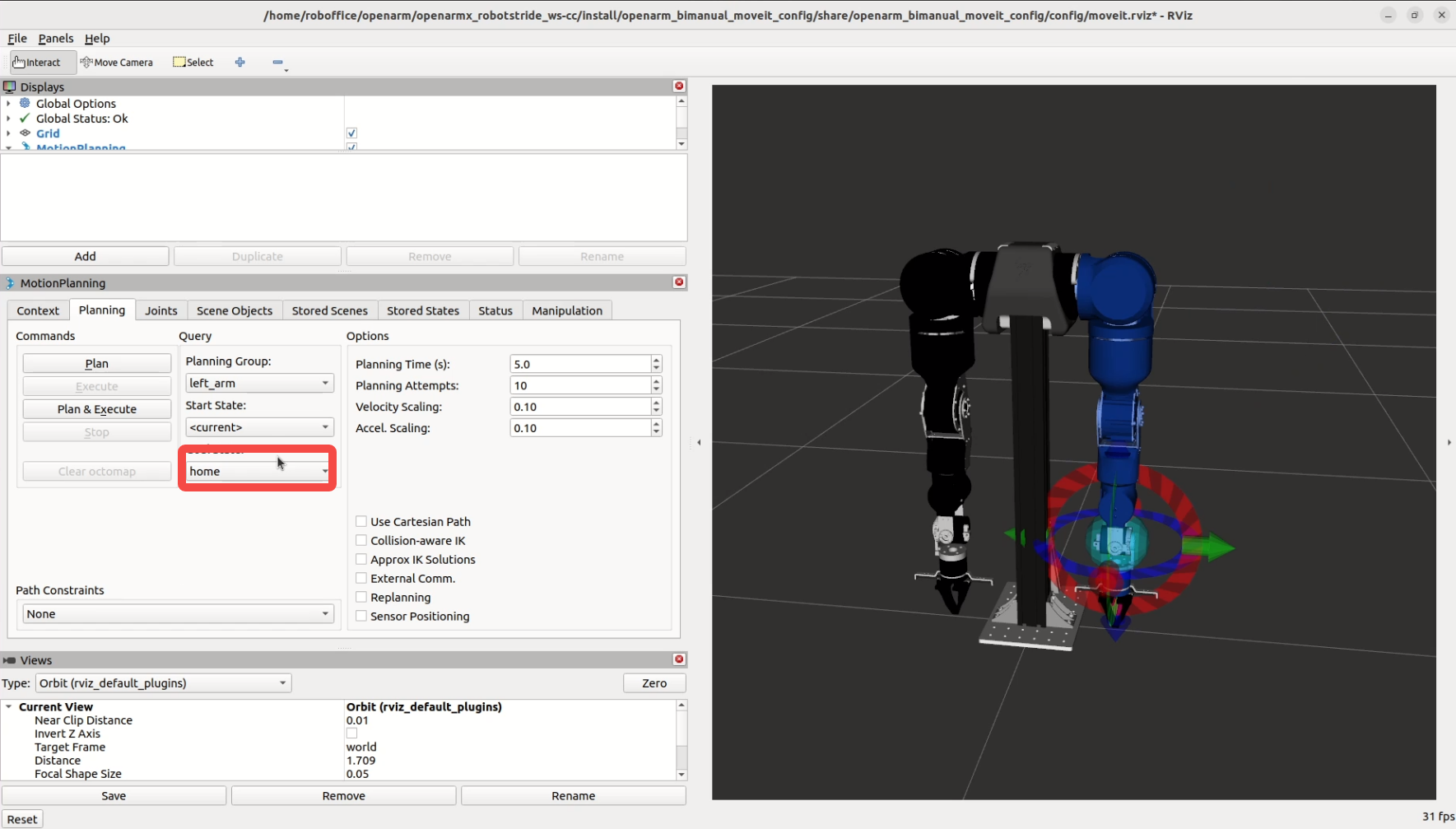
Planning_Group = left_arm,Goal State = home, click Execute
Real Robot Mode
🚨 Before motion:
- Emergency stop is reachable
- Workspace is clear
- Motor test is completed
cd ~/openarmx_ws
source install/setup.bash
ros2 launch openarm_bimanual_moveit_config demo.launch.py control_mode:=mit
{ width="100%" }
First motion
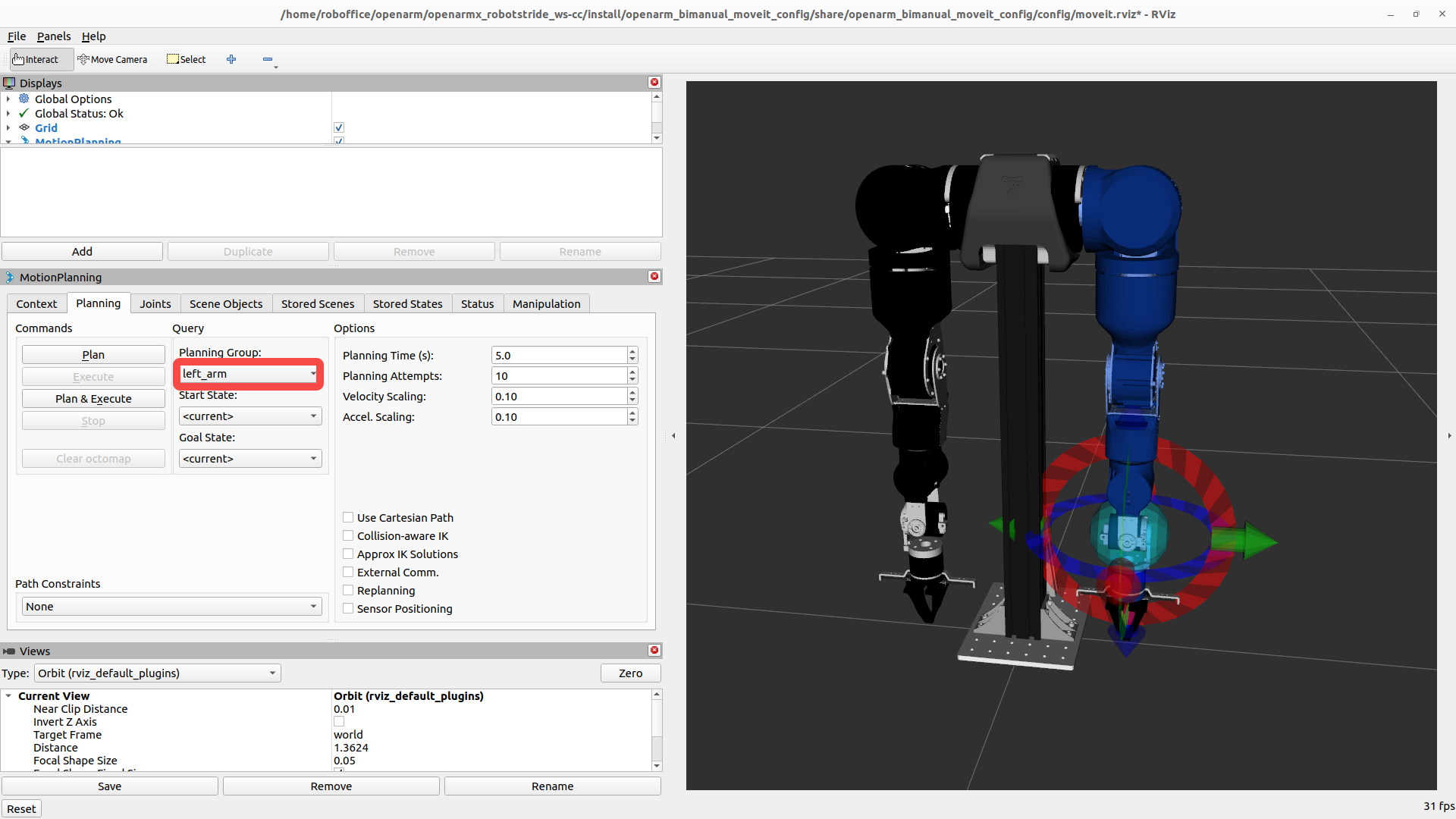
- Select
right_armorleft_armin Planning Group. - Set goal:
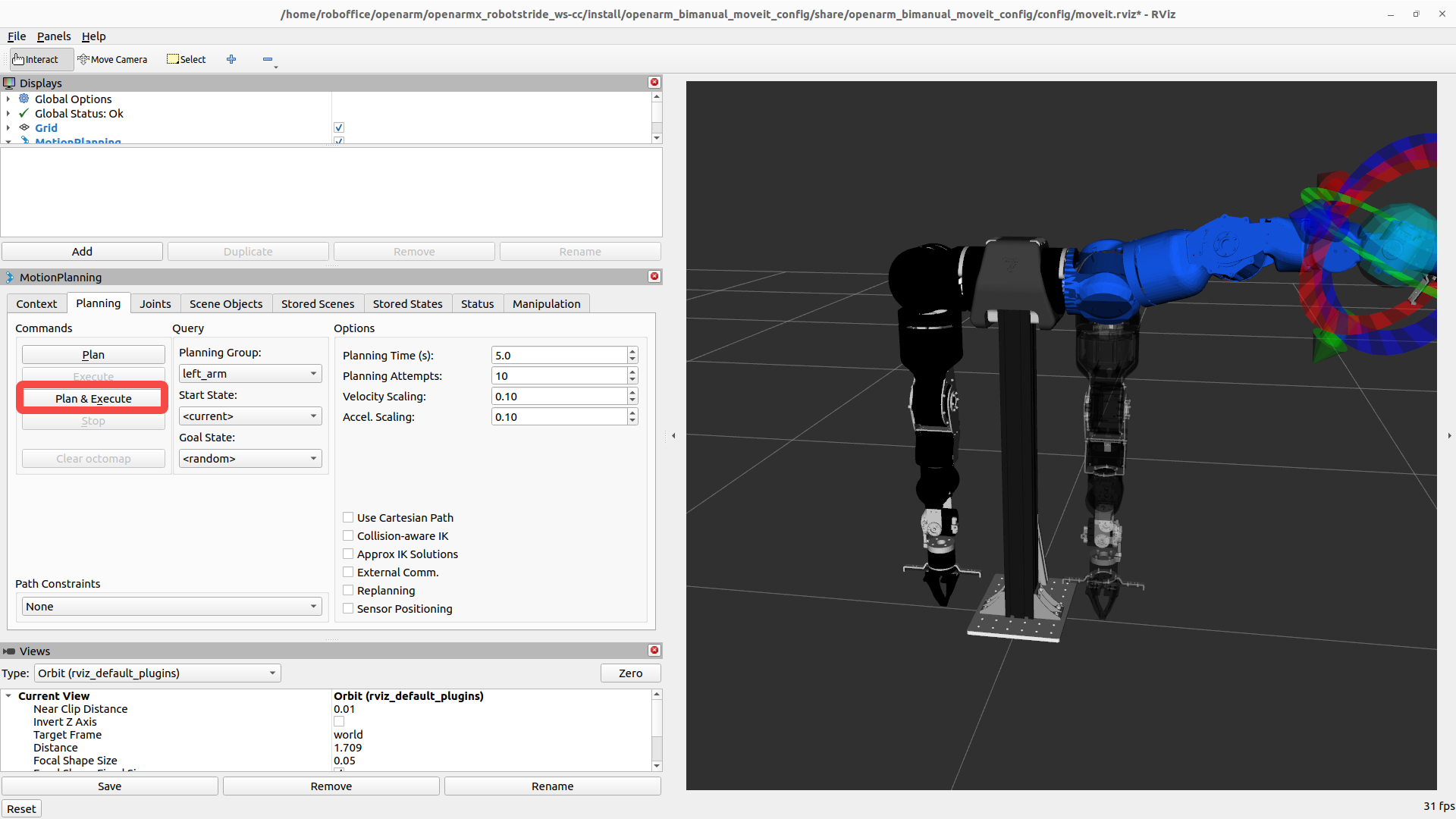
- Beginner: click Select Random Valid Goal
- Advanced: drag colored interactive marker in 3D view
- Click Plan, check trajectory, then click Execute.
Common operations
| Operation | Steps |
|---|---|
| Adjust speed | Planning panel -> Velocity Scaling Factor (0.1-0.3 suggested) |
| Move to home | Goal State -> home -> Update -> Plan & Execute |
| Manual control | Drag interactive marker in 3D view |